Understanding Mechanical Keyboard Switch Types
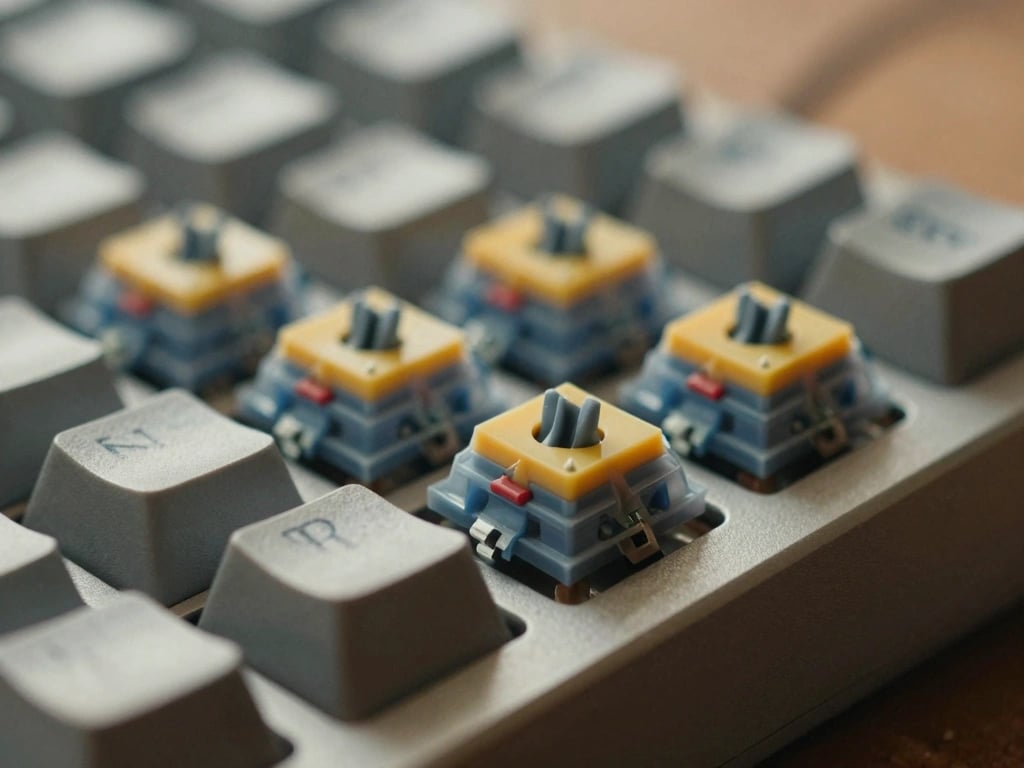
Mechanical keyboard switches are the heart of any mechanical keyboard, and understanding their types is essential for typists seeking the perfect typing experience. Each switch type offers a unique feel and sound, influencing both speed and comfort during long typing sessions. The three primary categories of mechanical switches are linear, tactile, and clicky.
Linear Switches: Smooth and Silent
Linear switches provide a smooth keystroke without any tactile feedback or noise. They are characterized by a consistent resistance throughout the entire key press, making them ideal for rapid typing. Popular linear switches include:
- Cherry MX Red: With an actuation force of 45g and a total travel distance of 4mm, Cherry MX Reds are favored by gamers but also appreciated by typists who prefer a quieter environment.
- Gateron Red: Similar to Cherry MX Reds but often regarded as smoother, Gateron Reds are a budget-friendly alternative with similar specifications.
- Kailh Box Red: Known for their durability and moisture resistance, these switches are also linear and provide a satisfying smoothness during typing.
Linear switches are perfect for typists who prefer a minimalistic feel without the distractions of sound or tactile bumps, allowing for a seamless typing experience.
Tactile Switches: Feedback for Every Keystroke
Tactile switches provide a noticeable bump at the actuation point, giving typists physical feedback that helps with typing accuracy. This feedback is crucial for typists who rely on sensation to confirm keystrokes. Examples of tactile switches include:
- Cherry MX Brown: With an actuation force of 45g and a travel distance of 4mm, Cherry MX Browns are one of the most popular tactile switches, balancing feedback and quietness.
- Gateron Brown: Similar to Cherry MX Browns but often considered smoother, Gateron Browns provide a satisfying tactile bump with a slightly softer feel.
- Kailh Box Brown: These switches offer a tactile bump and improved dust and moisture protection, making them a solid choice for typists.
Tactile switches are ideal for typists who appreciate feedback without the loud click sound associated with clicky switches, striking a balance between comfort and performance.
Clicky Switches: The Sound of Typing Satisfaction
Clicky switches are known for their distinct auditory feedback, providing both a tactile bump and a satisfying click sound when activated. This feedback can enhance typing speed and accuracy for those who enjoy the auditory experience. Notable clicky switches include:
- Cherry MX Blue: With an actuation force of 50g and a travel distance of 4mm, Cherry MX Blues are loud and proud. They are preferred by typists who love the classic typing sound.
- Gateron Blue: Gateron Blues offer a similar feel to Cherry MX Blues but are often praised for being smoother and less scratchy.
- Kailh Box White: These switches are designed to produce a crisp click sound while maintaining durability and resistance to dust and moisture.
Clicky switches are perfect for typists who want to hear each keystroke and enjoy the tactile response that comes with it, making typing feel more engaging.
Key Characteristics for Typists
When choosing a mechanical keyboard switch, several key characteristics must be considered to enhance the typing experience. Understanding these elements will help typists find the right fit for their preferences.
Actuation Force: Finding Your Comfort Zone
Actuation force refers to the amount of pressure needed to register a keystroke. This measurement is typically expressed in grams (g). For typists, finding the right actuation force is essential for comfort and speed.
- Light Switches: Switches with lower actuation forces (30g-45g) like Cherry MX Reds are easier to press, making them suitable for fast typists who prefer a lighter touch.
- Medium Switches: Switches requiring around 45g-55g, such as Cherry MX Browns, offer a balanced experience for various typing styles.
- Heavy Switches: Heavier switches (60g and above), like Cherry MX Black, provide more resistance, which some typists prefer for improved accuracy.
Finding the right actuation force can significantly impact typing speed and comfort, so it's essential to test different switches to identify personal preferences.
Travel Distance: Impact on Typing Speed and Accuracy
Travel distance is the total distance a key travels from its resting position to its fully pressed position. Mechanical switches typically have a travel distance of around 4mm, but the actuation point (where the switch registers a keystroke) may differ.
- Standard Switches: Most conventional switches have a travel distance of 4mm, providing a good balance between speed and accuracy.
- Short-Travel Switches: Some switches, such as those designed for gaming, have shorter travel distances (around 3mm) for quicker actuation, appealing to typists who value speed over tactile feedback.
Typing accuracy can improve with the right travel distance, so consider how far you prefer to press down on keys while typing.
Durability: Lifespan of Mechanical Switches
Mechanical switches are renowned for their durability, often rated for a certain number of keystrokes before failure. This durability is a significant factor for typists who spend extensive hours on their keyboards.
- Cherry MX Switches: Typically rated for 50 million keystrokes, Cherry MX switches are known for their longevity and reliability.
- Gateron Switches: Gateron switches also boast a lifespan of about 50 million keystrokes, making them a durable choice for typists.
- Kailh Switches: Kailh switches generally have a lifespan of around 70 million keystrokes, which is impressive for heavy users.
For typists seeking a long-lasting keyboard, understanding the durability of the switches can help ensure a worthwhile investment.
Switch Brands and Their Unique Offerings
Different brands offer unique characteristics in their mechanical switches. Familiarizing yourself with these brands can help typists make informed decisions.
Cherry MX: The Gold Standard of Switches
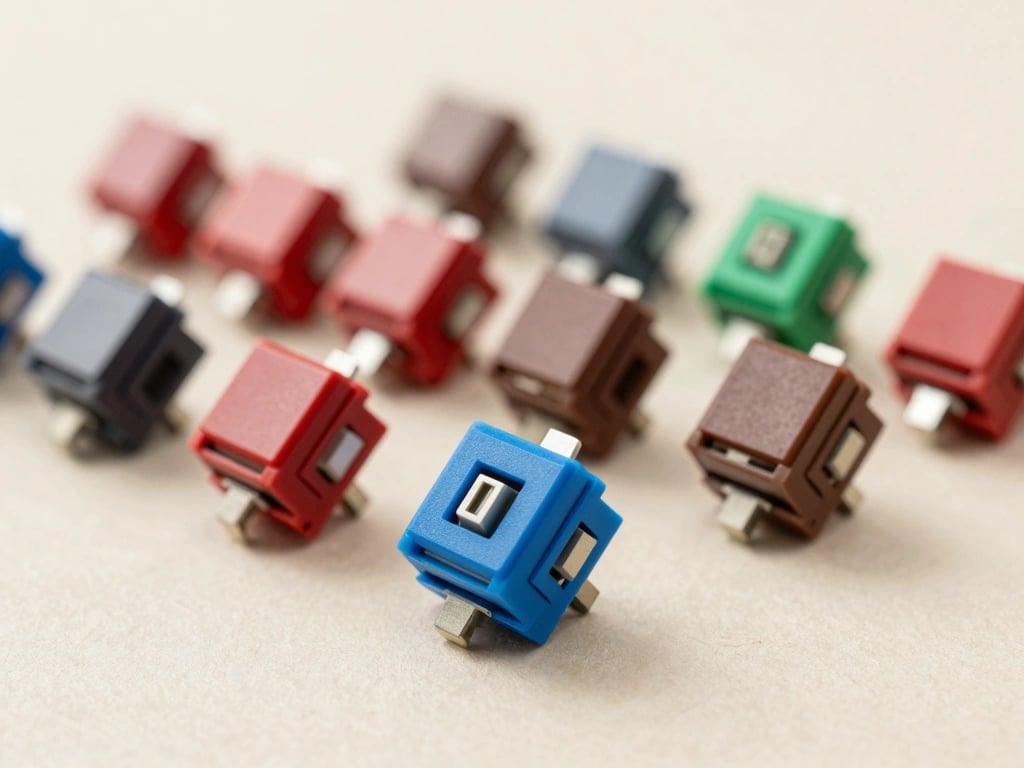
Cherry MX switches have set the standard in the industry, known for their reliability and variety. Their distinct color-coding system makes it easy to identify switch types:
- Cherry MX Red: Linear switch, ideal for fast and quiet typing.
- Cherry MX Brown: Tactile switch, balancing feedback and sound.
- Cherry MX Blue: Clicky switch, favored for its distinct sound and feel.
Cherry MX switches are often considered the benchmark for mechanical switches, making them a safe choice for any typist.
Gateron: A Budget-Friendly Alternative
Gateron switches are known for their affordability and have gained popularity among budget-conscious typists. They offer smooth keystrokes across their variants:
- Gateron Red: Similar to Cherry MX Red, providing a smooth linear experience.
- Gateron Brown: Thought to be smoother than Cherry MX Brown, with a satisfying tactile response.
- Gateron Blue: A clicky switch that competes well with Cherry MX Blue.
Gateron’s cost-effectiveness without sacrificing quality makes them an excellent option for new typists or those looking to upgrade on a budget.
Kailh: Innovations and Variations
Kailh switches are known for their innovative designs and variations. They offer a diverse range of switches, including:
- Kailh Box Switches: Featuring a unique design that enhances dust and moisture resistance while providing excellent feedback.
- Kailh Speed Switches: Designed for faster actuation, making them ideal for typing speed enthusiasts.
- Kailh Pro Switches: Offering unique tactile feedback and sound profiles for a personalized typing experience.
Kailh’s variety allows typists to explore different preferences, catering to both traditional and innovative typing styles.
Personalizing Your Typing Experience
A mechanical keyboard is not just about the switches; personalizing your keyboard can elevate your typing experience. Here are some ways to enhance your setup.
Custom Keycaps: Enhancing Aesthetics and Feel
Custom keycaps can significantly change the look and feel of your keyboard. They come in various materials, shapes, and profiles. Popular options include:
- PBT Keycaps: Known for their durability and resistance to wear, PBT keycaps often provide a better typing feel.
- ABS Keycaps: While more affordable, ABS keycaps may wear down faster but offer a wider variety of designs.
- SA Profile Keycaps: These are tall and sculpted, providing a unique feel when typing.
Custom keycaps not only enhance aesthetics but can also improve typing comfort based on their material and profile.
Lubing Switches: Smoother Keystrokes
Lubing mechanical switches can reduce friction and improve the overall feel of the keystrokes. Professional typists often take the time to lube their switches for a smoother experience. Common lubes include:
- Christo-lube: A popular choice among enthusiasts for its smooth application and long-lasting effects.
- Dielectric Grease: Often used for its moisture resistance and ability to reduce scratchiness in switches.
Lubing switches can drastically change the typing experience, providing a satisfying and smooth keystroke.
Modding Techniques: Making Your Keyboard Truly Yours
Modding involves customizing your keyboard beyond just keycaps and lubing. Techniques include:
- Switch Films: These are used to reduce switch wobble and improve sound quality.
- Stabilizer Mods: Improving stabilizers can reduce rattling and improve the feel of larger keys.
- Sound Dampening Mods: Adding foam or silicone can reduce noise and improve acoustics while typing.
These modding techniques allow typists to create a personalized experience tailored to their preferences and typing style.
Choosing the Right Switch for Your Typing Style
Selecting the right switch is crucial for optimizing your typing experience. Understanding your typing habits and preferences will guide this decision.
Assessing Your Typing Habits: Casual vs. Professional
Different typists have varying needs based on their typing habits. Casual typists may prioritize comfort and quiet, while professional typists often seek speed and accuracy. Here are some considerations:
- Casual Typists: May prefer linear or tactile switches for comfort and a quieter experience.
- Professional Typists: Often benefit from tactile or clicky switches for feedback and accuracy.
Identifying your primary use case can help narrow down the ideal switch type.
Testing Switches: Trying Before You Buy
Before committing to a switch type, it’s essential to test them out. Many retailers offer switch testers, allowing you to feel the differences before making a purchase. Consider visiting local stores or events where you can try various mechanical keyboards.
Final Recommendations: Switches for Different Typists
In conclusion, here are some switch recommendations based on typing styles:
- For Casual Typists: Cherry MX Red or Gateron Brown for a comfortable and quiet experience.
- For Professional Typists: Cherry MX Brown or Kailh Box Brown for a balanced tactile feel.
- For Enthusiasts: Cherry MX Blue or Gateron Blue for that satisfying clicky feedback.
Ultimately, the best switch will depend on individual preferences and typing styles, so take the time to explore and find what works best for you.